I encountered an issue where my WSL cannot connect to external API/Server. The error was related to SSL certificate verification. I found out that the certificate was missing from the WSL’s trusted certificates.
To fix this problem, we need to add the certificate to the WSL’s trusted certificates. To check which certificate is missing, you can use the following command:
openssl s_client -connect google.com:443 -CApath /etc/ssl/certsAfter know which certificate is missing, you can export it from Windows by opening certmgr.msc.
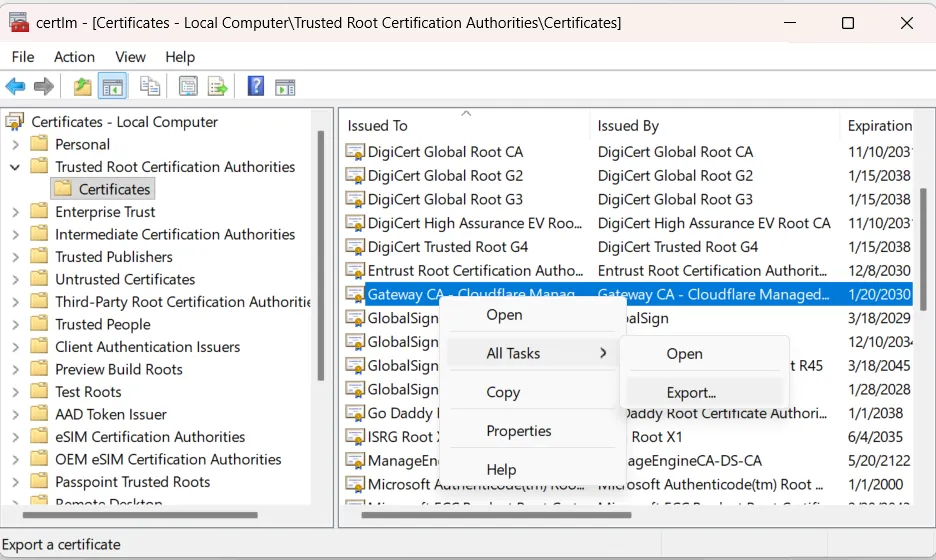
The certificate was located at “Trusted Root Certification Authorities\Certifiactes”. Select which certificate is missing and export it as a DER coded x.509 and save it under e.g. “D:\missing.cer”.
From within your WSL you can add the certificate with:
openssl x509 -inform DER -in /mnt/d/missing.cer -out ./missing.crt
sudo cp missing.crt /usr/local/share/ca-certificates/
sudo update-ca-certificates